
AltusPixel
AltusPixel is out now on PC, released on July 14, 2026.
About AltusPixel
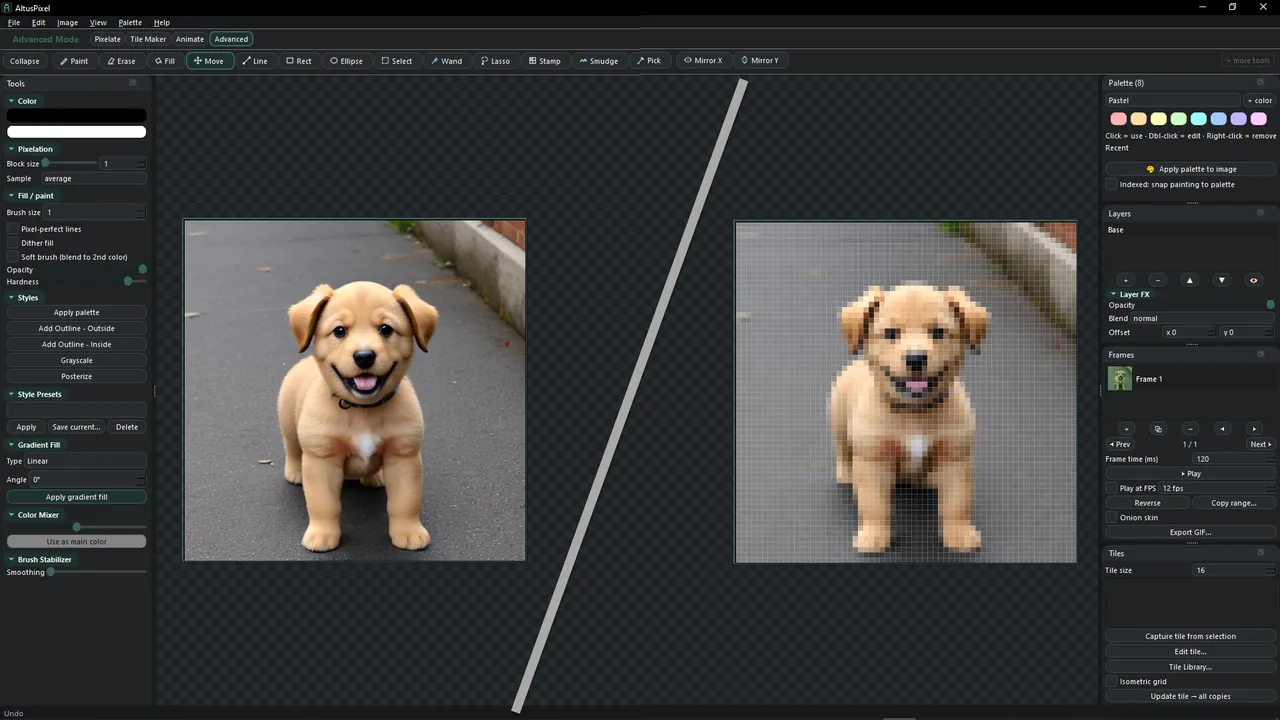
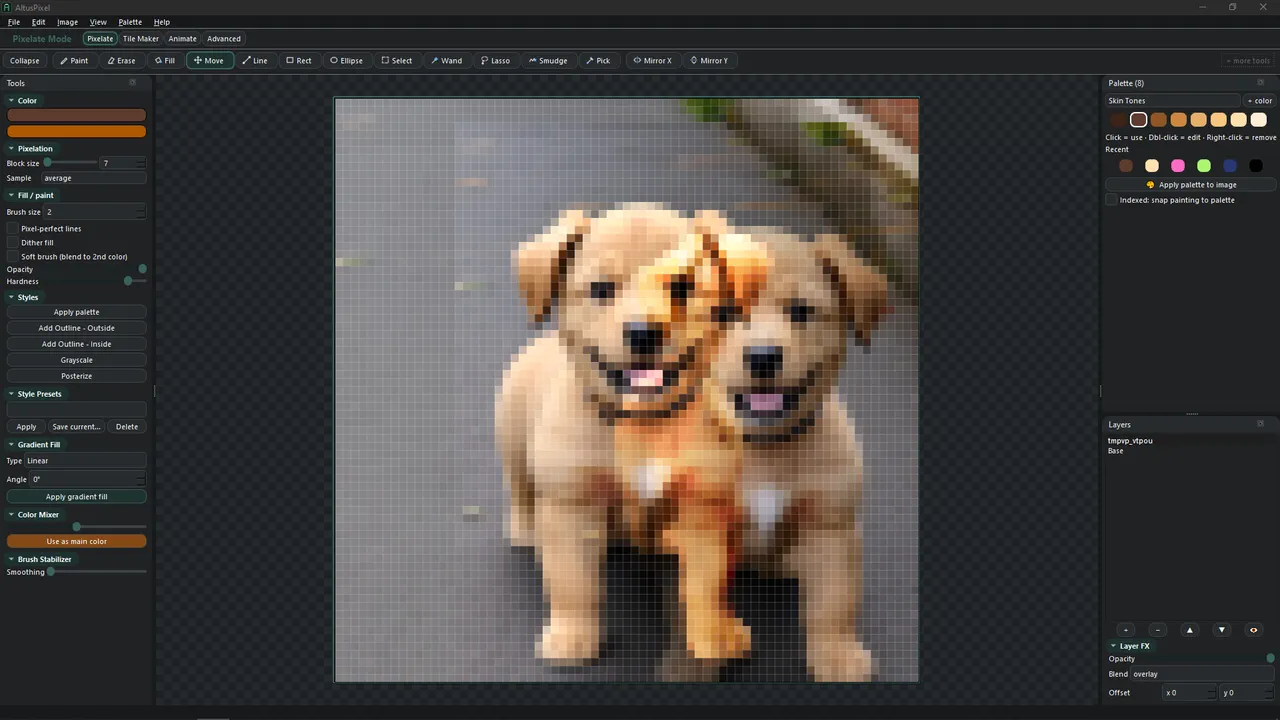
AltusPixel arrives as a specialized bridge between high-fidelity imagery and the constraints of the pixel-art aesthetic. Developed and published by Altus Sensus Consulting LLC, this tool deviates from traditional digital painting software by positioning the conversion of existing assets—whether they are photographs, 3D renders, or AI-generated work—as the primary starting point rather than an afterthought. The AltusPixel release date is scheduled for July 14, 2026, exclusively for PC.
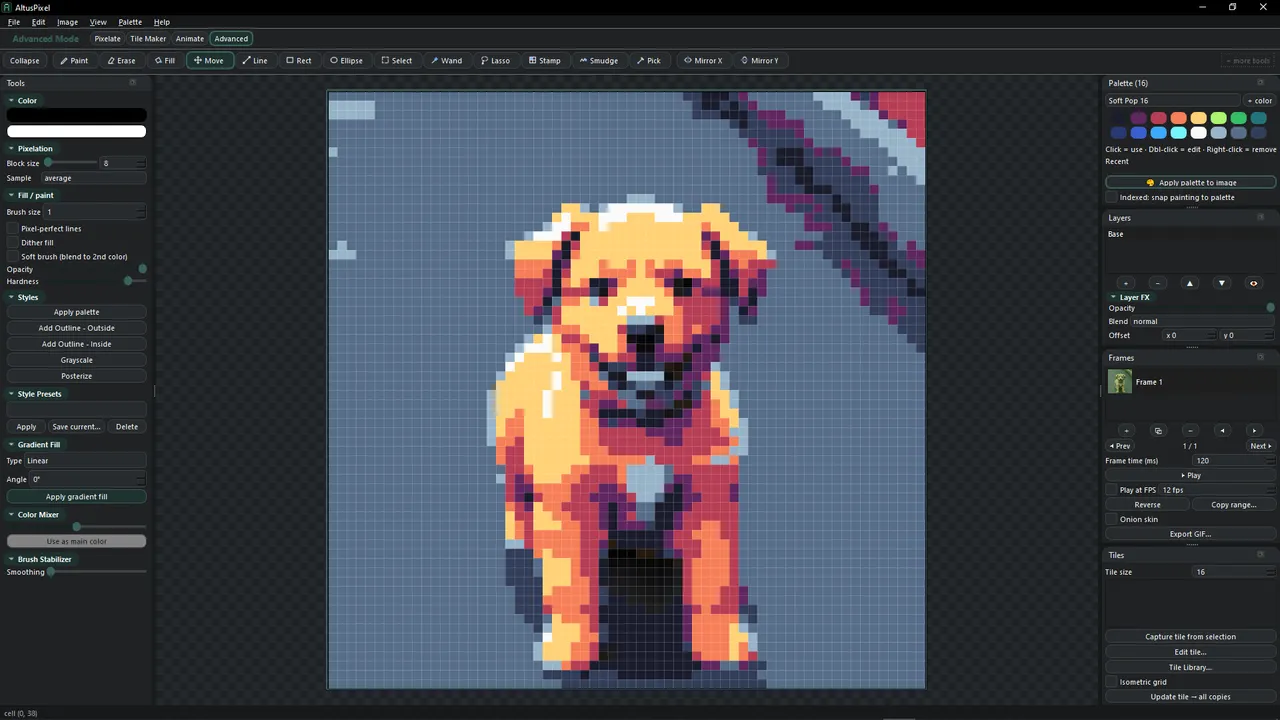
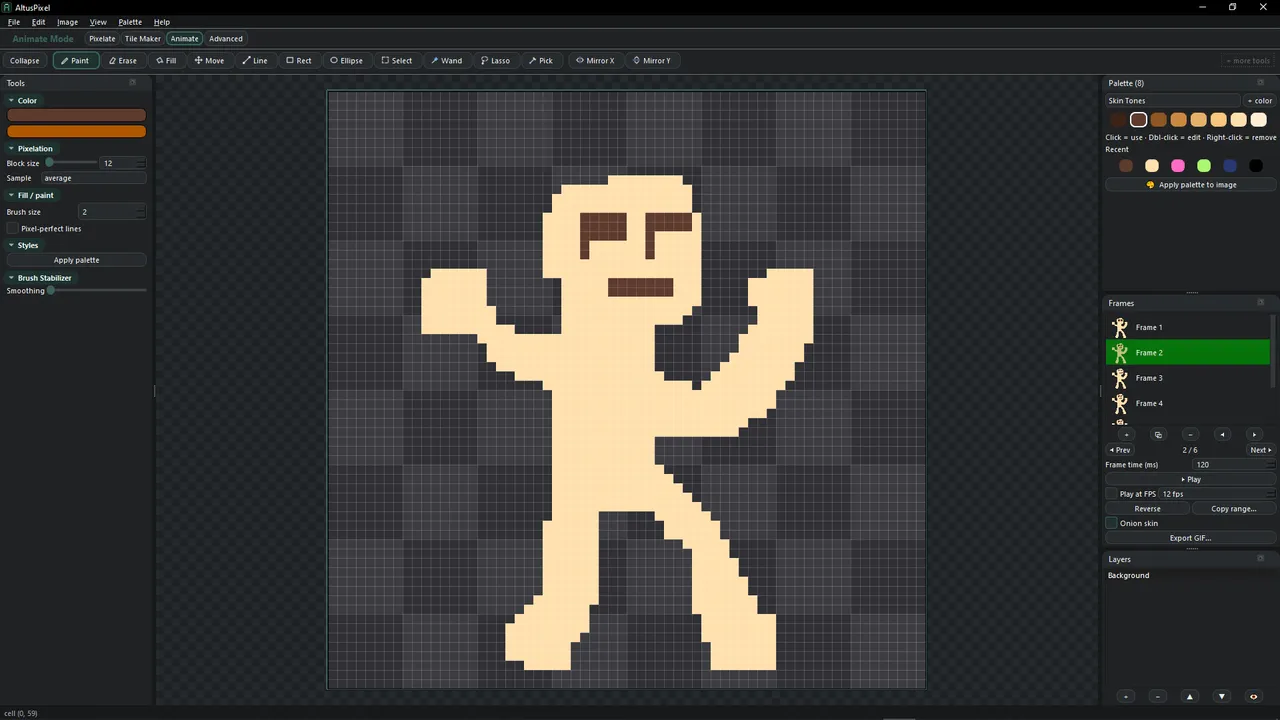
The utility of the software hinges on its ability to bypass the manual labor of block-level placement. By allowing creators to drop in an image and immediately apply point sampling, dither patterns, and palette snapping, it functions as a fast-track for developers who lack the patience for manual dot-working. However, it avoids being a mere filter by housing a layer-based editor underneath, featuring blend modes and frame-by-frame animation tools. This dual-purpose design suggests it is built specifically for the iterative speed required in game jams or rapid prototyping.
PC Release Date and Workflow Features
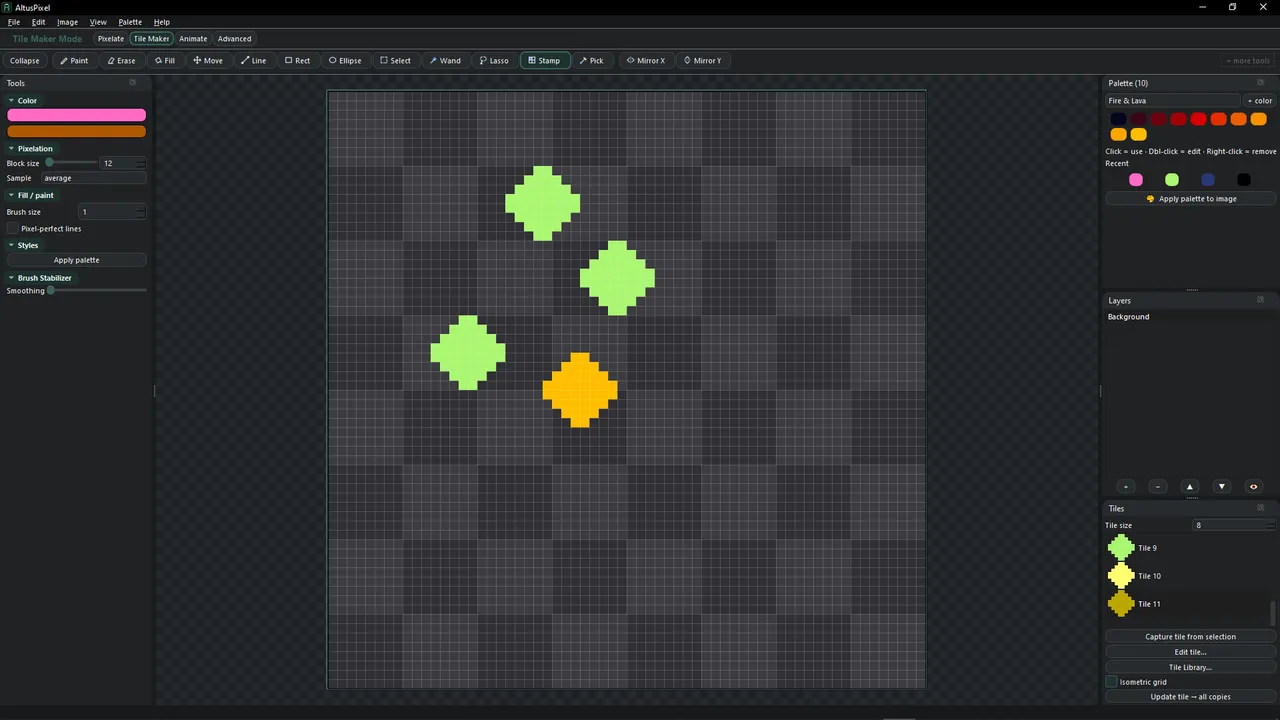
AltusPixel is set for a July 14, 2026 release date on the Windows platform as a self-contained application. Beyond simple conversion, the software includes a dedicated tile maker with an isometric focus, utilizing a system where editing a master tile updates every instance in a staggered grid. This non-destructive approach extends to its palette management, supporting Excel imports for team-wide color synchronization and exporting to game-ready formats like JSON-mapped sprite sheets and APNGs.
The central risk for this release is whether the automated 'Image to Pixel' conversion can produce results that feel intentional rather than clinical or muddy. While many tools offer pixelation filters, AltusPixel must prove that its 'Advanced' mode offers enough granular control over gradient maps and outlines to satisfy those who would otherwise draw by hand. It is a targeted solution for the developer who needs to translate a vision into an 8-bit or 16-bit environment without becoming a specialist in manual pixel technique.
Features
System requirements
Minimum
- OS
- 10
- Processor
- Dual-core CPU
- Memory
- 4 GB RAM
- Graphics
- Any (no dedicated GPU required)
- Storage
- 250 MB available space
- Additional Notes
- offline, self-contained; no account required
Frequently asked questions
When did AltusPixel come out?
AltusPixel released on July 14, 2026 for PC.
Is AltusPixel out yet?
Yes. AltusPixel is available now, having released on July 14, 2026.
What platforms is AltusPixel on?
AltusPixel is available on PC.





No comments yet. Be the first to share your thoughts.