
Dollar Desktop Pet
Dollar Desktop Pet is out now on PC, released on July 15, 2026.
About Dollar Desktop Pet
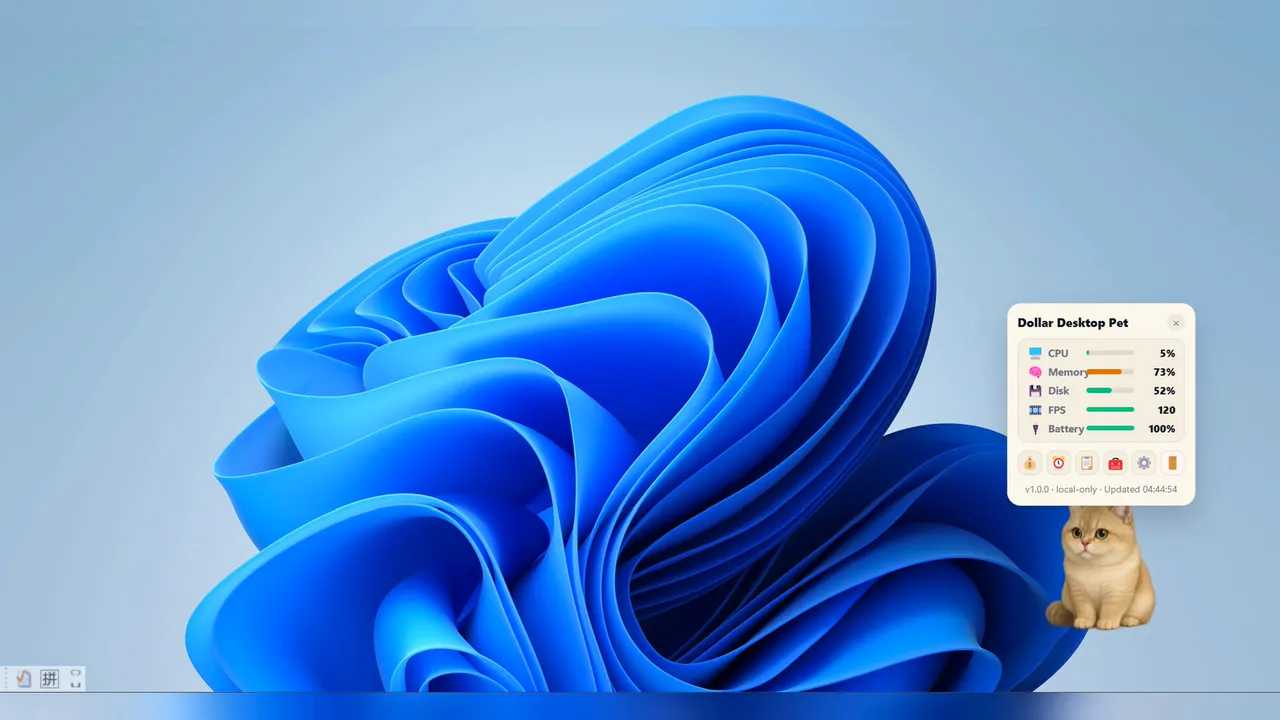
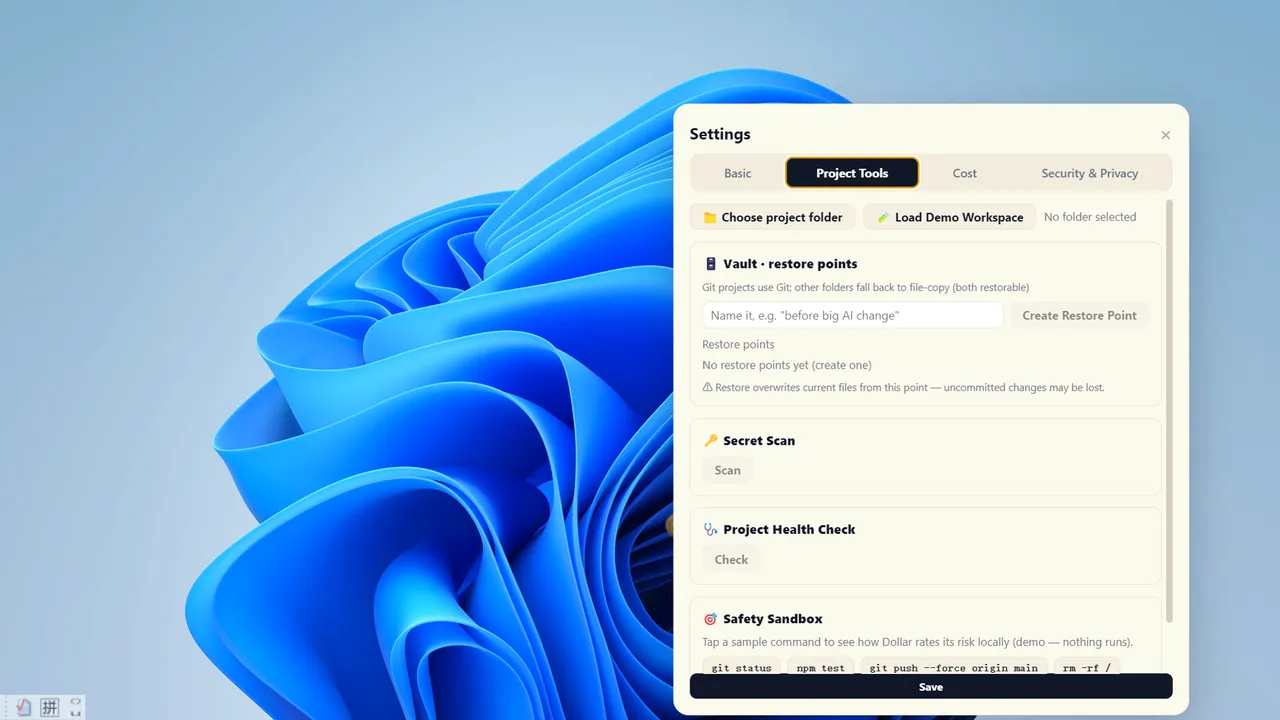
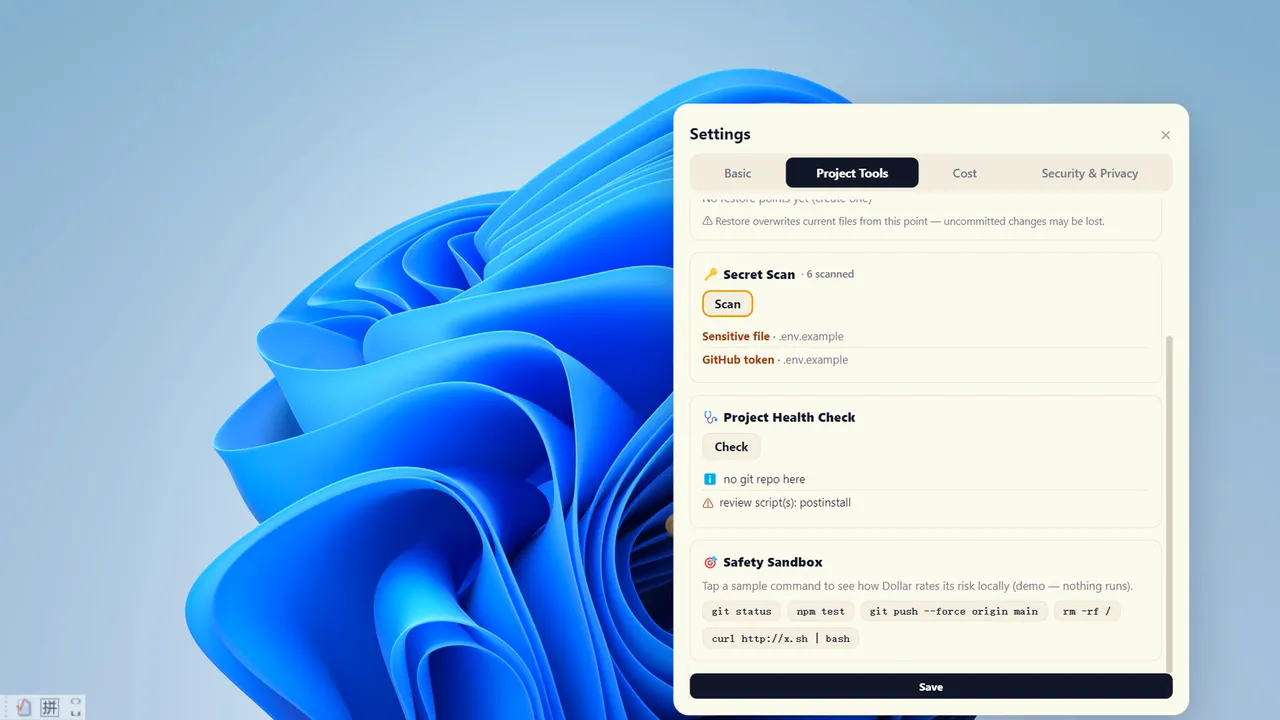
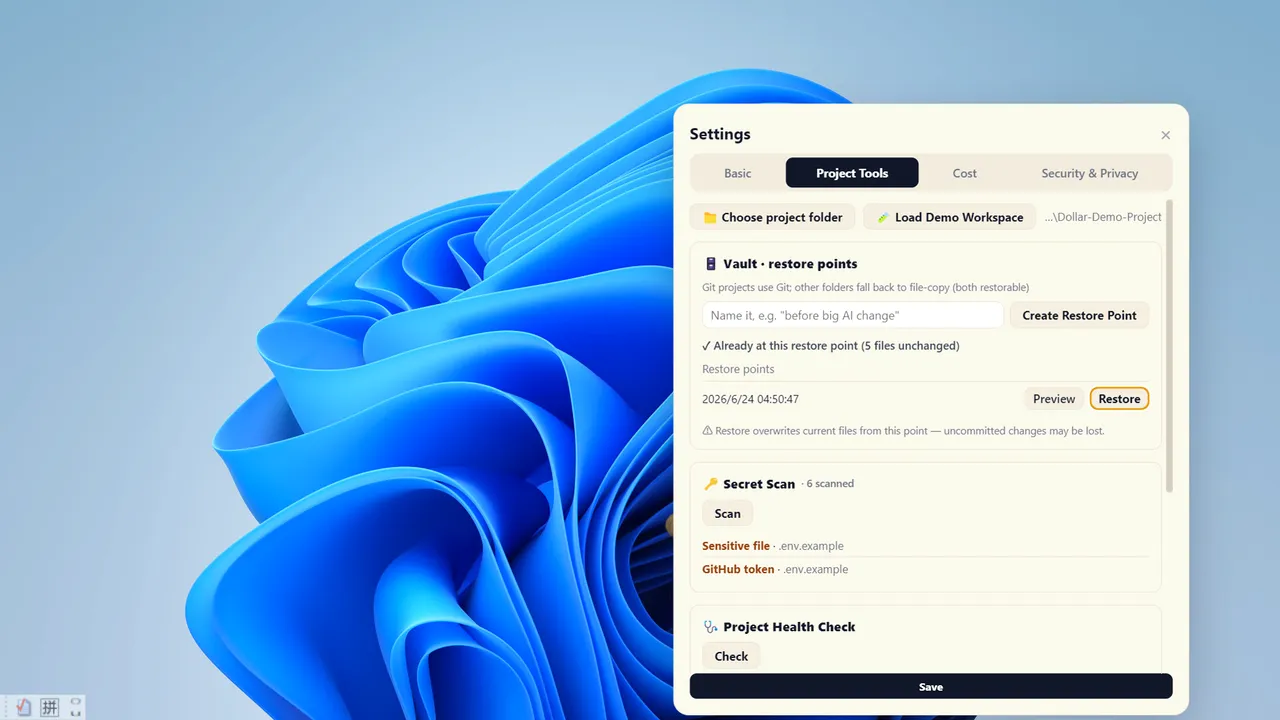
Dollar Desktop Pet is less of a traditional game and more of a functional desktop companion designed to act as a safety net for developers. Developed and published by Junsen Liu, the release date for Dollar Desktop Pet is July 15, 2026, when it will arrive on PC as a local utility wrapped in the skin of a friendly digital cat. Unlike modern cloud-heavy tools, it operates entirely offline, providing a suite of project management features like manual restore points and secret scanning without requiring an API key or an account. It essentially acts as a localized version of Git’s version control and security auditing but simplified for a drag-and-drop desktop experience.
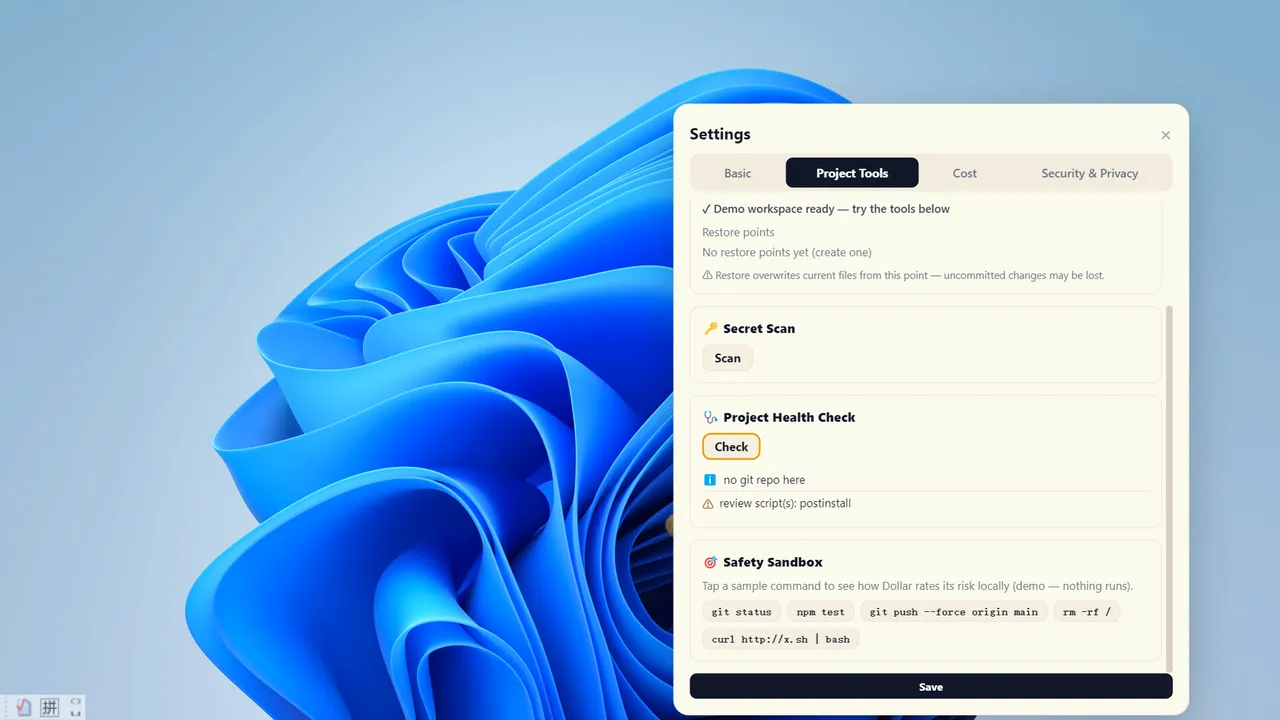
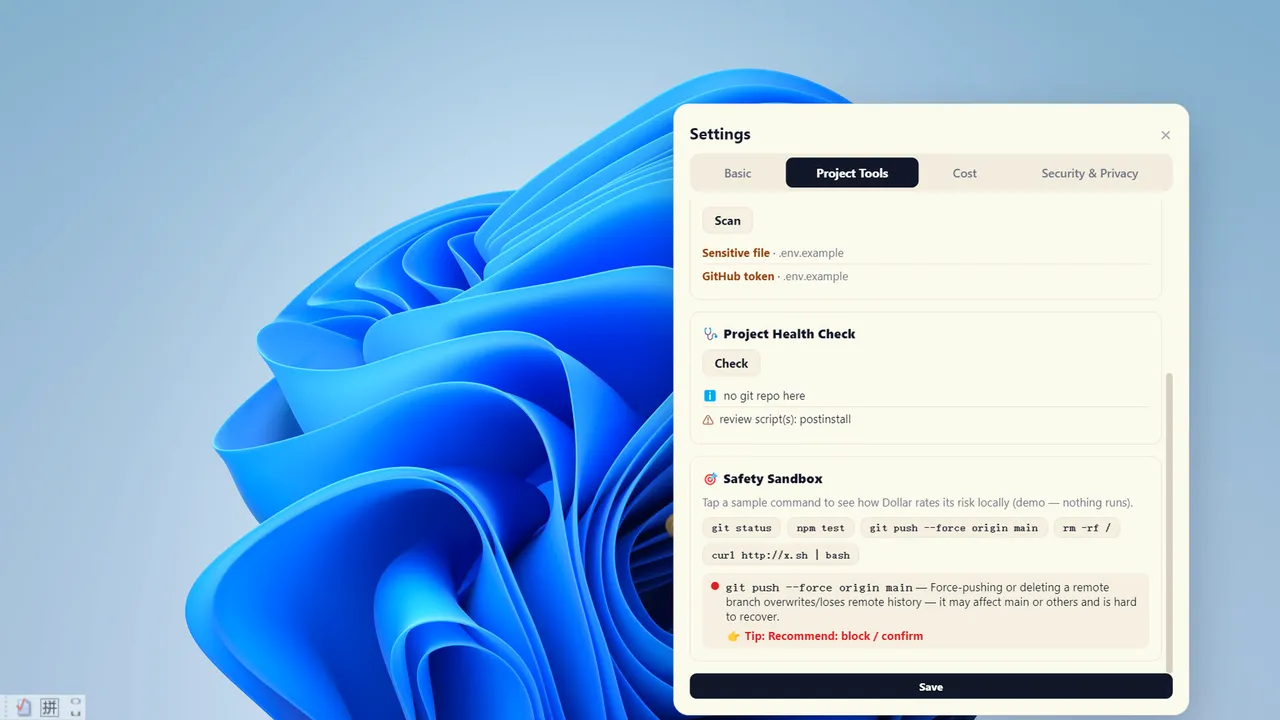
The core loop here isn't about scoring points, but about maintaining project hygiene through 'Vault' snapshots and a 'Safety Sandbox.' The sandbox is particularly interesting for those who frequently copy-paste terminal commands; it assigns a color-coded risk rating to scripts before you run them, helping prevent accidental system damage. While the pet itself can be dragged and petted, its primary role is to serve as a notification hub for system vitals and project health checks. Whether a small-scale developer will find this more useful than standard CLI tools like Git is the central gamble Junsen Liu is taking with this release.
Dollar Desktop Pet Release Date and AI Integration
For users who have moved their workflow into the world of automated programming, Dollar Desktop Pet offers an optional layer of live supervision for locally installed AI coding agents. When connected, the pet acts as a watchdog that demands confirmation before an AI can execute potentially destructive actions, while simultaneously tracking the estimated cost of the operation. This keeps the AI at arm's length, ensuring that a generated script doesn't wipe a directory without a manual 'Vault' restore point being created first. The July 15, 2026 release date marks a shift toward privacy-first developer tools that prioritize local execution over cloud-based telemetry.
This is a specialized utility for the privacy-conscious developer who wants a physicalized representation of their project safety. If you are comfortable with the command line and already have a robust version control workflow, the feline interface might feel like an unnecessary layer. However, for those who want a visual, offline-first safety net that redacts exposed keys and monitors system health without sending data to a remote server, this is worth a wishlist spot. Buy it at launch if you want your project security to have a face, or skip it if you prefer keeping your workspace strictly professional and terminal-bound.
System requirements
Minimum
- OS
- Windows 10 (64-bit)
- Processor
- Dual-core, 1.6 GHz
- Memory
- 4096 MB RAM
- Graphics
- Hardware-accelerated GPU
- Storage
- 500 MB available space
- Additional Notes
- Optional Agent Connection: Dollar’s Local Toolkit works independently without AI, an account, or an API key. Live supervision is an optional feature that requires a compatible AI coding agent to be separately installed and authorized on the user’s computer, such as Claude Code or Codex.
Recommended
- OS
- Windows 10 (64-bit)
- Processor
- Dual-core, 1.6 GHz
- Memory
- 4096 MB RAM
- Graphics
- Hardware-accelerated GPU
- Storage
- 500 MB available space
- Additional Notes
- Optional Agent Connection: Dollar’s Local Toolkit works independently without AI, an account, or an API key. Live supervision is an optional feature that requires a compatible AI coding agent to be separately installed and authorized on the user’s computer, such as Claude Code or Codex.
Frequently asked questions
When did Dollar Desktop Pet come out?
Dollar Desktop Pet released on July 15, 2026 for PC.
Is Dollar Desktop Pet out yet?
Yes. Dollar Desktop Pet is available now, having released on July 15, 2026.
What platforms is Dollar Desktop Pet on?
Dollar Desktop Pet is available on PC.






No comments yet. Be the first to share your thoughts.